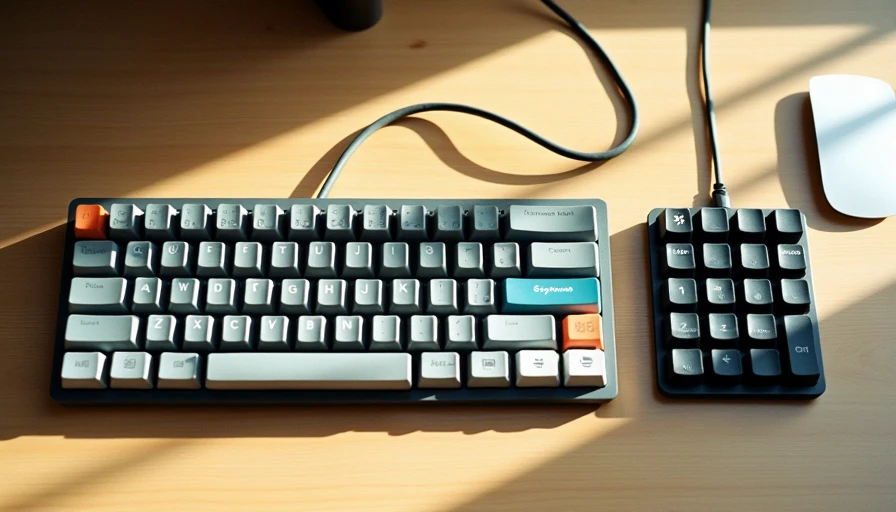
I went down the rabbit hole. Three custom keyboards, $900 total, and a box of spare Gateron switches that I swore I'd eventually use.
I built a 60% with lubed Holy Pandas for that "thocky" sound. I built a TKL with Cherry MX Blues for the clicky feedback I thought would make me type faster. I even built a split ergonomic board because I convinced myself that my wrists were on the verge of collapse and only a $400 tented keyboard could save them.
My typing speed improved by exactly zero words per minute.
My wrists felt exactly the same.
But my bank account was $900 lighter, and my desk had become a museum of boutique input devices. I spent more time researching keycap profiles (SA vs. OEM vs. Cherry) than I did actually writing.
I fell for the myth. And I want to make sure you don't make the same mistake.
The Rabbit Hole
Let me describe what happens when you enter the mechanical keyboard subreddit.
You start with a reasonable thought: "I type all day. Maybe a nicer keyboard would help."
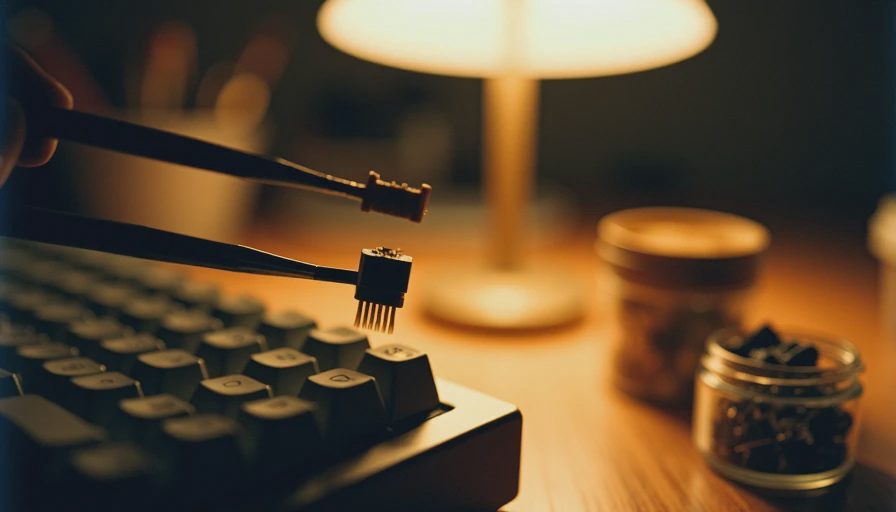
Within three hours, you've learned about 47 different switch types. You've watched a 20‑minute sound test comparing Kailh Box Whites to Gazzew U4T Bobas—a video that sounds exactly like a synthesizer demo to anyone outside the hobby. You've discovered that "lubing" isn't a euphemism—it's actually a thing you're supposed to do to your switches, one by one, with a tiny brush.
And somewhere along the way, a quiet thought takes root:
"If I don't spend at least $200 on a keyboard, am I even serious about my work?"
That thought is the myth.
The Myth, Stated Clearly
Here it is, plain and simple:
You do not need a $300 mechanical keyboard to type well. You probably don't need a $150 one either. You might not need a mechanical keyboard at all.
The industry has done an incredible job of conflating three separate things:
Durability (mechanical switches last longer)
Customisation (you can make it feel/sound exactly how you want)
Productivity (they claim it makes you faster and more accurate)
That third one is where the myth lives. The data does not support it.
Studies on typing speed consistently show that the difference between a high‑end mechanical and a decent membrane keyboard is negligible for the average typist. Your fingers aren't limited by switch actuation force—they're limited by how fast your brain can formulate sentences. The bottleneck is cognition, not hardware.
I've tested this on myself. Using a $300 custom board, I averaged 78 words per minute. Using a standard $30 Logitech office keyboard, I averaged 76 words per minute. That difference is within the margin of error for a slightly sleepy morning.
I spent $270 for 2 extra words per minute. That's $135 per word per minute.
What Mechanical Keyboards Actually Do Well
To be fair—they do a few things genuinely better.
They last. A mechanical switch is rated for 50–100 million keystrokes. A rubber dome membrane will degrade in a few years. If you buy a mechanical, you're buying something that won't wear out.
They're repairable. A broken switch can be replaced. A broken membrane keyboard goes in the bin.
They feel better. Subjectively—and this is the key word—they feel more satisfying to type on. The tactile feedback, the sound, the weight. It's a sensory experience.
That last one is legitimate. But it's also a preference, not a requirement. You don't need a mechanical keyboard to type well—you might just enjoy using one more. And that's okay. But let's not dress it up as a productivity necessity.
The Diminishing Returns Curve
Let me break down what you're actually paying for at each price tier:
Price Range | What You Get | Who It's For |
|---|---|---|
$30–$60 | A decent membrane or entry‑level mechanical (e.g., Keychron C series). Reliable, does the job. | 90% of office workers. You don't need more. |
$60–$150 | Hot‑swappable switches, better build quality, wireless options. | Enthusiasts who want some customisation without breaking the bank. |
$150–$300+ | Premium materials (aluminium cases), boutique switches, custom keycaps, gasket mounts for "bouncy" feel. | Hobbyists. This is no longer a tool—it's an interest. |
If your goal is typing comfort and reliability, the $30–$60 tier already gets you 90% of the way. The remaining 10% costs exponentially more.
The law of diminishing returns applies to keyboards just as brutally as it applies to camera lenses, headphones, or watches. At a certain point, you're paying for marginal improvements that only a trained enthusiast can detect.
And honestly? Most of the time, you can't even detect them. You just think you can, because you've read five forum threads about it.
What I Actually Use Now
After my $900 detour, I did something that felt like sacrilege.
I switched to a $45 scissor‑switch keyboard.
It's thin. It's quiet. It doesn't have RGB lighting. The keycaps are flat and not particularly satisfying to press. And I type exactly as fast as I did on my $300 Holy Panda build.
Here's the thing: I stopped thinking about my keyboard.
That's the sign of a good tool. Not how much it costs, not how nice it sounds, not how many upvotes it gets on r/MechanicalKeyboards. A good tool disappears while you're using it.
When I used the custom board, I was constantly aware of it. The sound. The feel. The slight wobble in the left Shift key that I'd been meaning to fix. My brain was spending cycles on the keyboard itself.
With the cheap office keyboard, I just... typed. The tool faded into the background, and my words took centre stage.
That's what we actually want from a keyboard.

Do You Actually Need One?
Let's run the decision framework:
Get a mechanical keyboard if:
You genuinely enjoy the hobby and want to experiment with switches and keycaps.
You have specific ergonomic needs (e.g., split ortholinear boards for wrist pain).
You're willing to spend money on a sensory experience you simply like—as long as you're honest about it being a want, not a need.
Don't get a mechanical keyboard if:
You think it will make you a faster or more productive writer.
You're buying it because every tech YouTuber has one.
You're convinced you "need" it to be taken seriously in your field.
You're on a budget and this would be a stretch.
For 90% of people, the answer is: you don't need it. A decent $40 office keyboard from Logitech or Microsoft is perfectly fine. If you want to treat yourself to something nicer, go ahead—but do it because you want it, not because you've been told you need it.
You need less than you think. Sometimes the best keyboard is the one you stop thinking about.