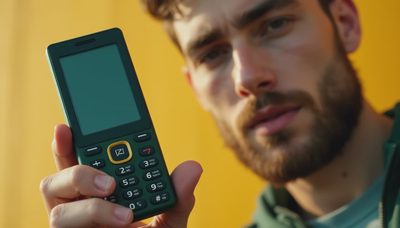
Do you actually need this? If the answer is a phone that handles calls, texts, and directions without placing an entire app store in your pocket, a flip phone with GPS is an unusually sensible compromise. You get navigation when you need it, but far fewer invitations to check email, news, social feeds, and whatever bright red badge arrived five minutes ago.
I understand the appeal from both sides. I spent years designing smartphone experiences that made one more tap feel harmless. The screens were polished, the interactions were smooth, and the reward was often just another refresh. A flip phone changes that relationship through hardware. Closing the phone is a physical ending, not a software setting you can override.
What GPS means on a flip phone
GPS on a basic phone usually means one of three things: built-in turn-by-turn navigation, location sharing through a carrier service, or emergency location support. Those features are not identical. Before buying, look for clear information about the navigation app, map downloads, voice guidance, and whether the phone needs cellular data for directions.
Models from brands such as CAT, Alcatel, and Kyocera have offered variations on the simple phone formula, while the Nokia 2780 Flip is a common unlocked option in the United States. Availability and carrier support change, so confirm that the exact model works with your network. A phone can have GPS hardware and still provide a frustrating navigation experience if its software is slow or its maps are limited.
A flip phone with GPS is best understood as a backup navigator, not a replacement for a large-screen device on a complicated road trip. For a familiar commute, a city walk, or a trailhead approach, it can be enough. For a long drive through several states, I would still download offline maps to a separate device or print the route before leaving.
The best reasons to choose one
The strongest reason is separation. Your navigation tool and your distraction machine do not have to be the same object. When I carry a flip phone with GPS on a hike near the Marin Headlands, I can check a route without automatically opening a browser. That small amount of friction is useful. It gives the task a beginning and an end.
Battery life is another practical advantage. A basic flip phone often lasts several days under light use, while a smartphone used for navigation, photography, music, and messaging can need a charge before dinner. A $30 to $100 power bank is no longer an essential part of every outing. The phone also tends to be cheaper to replace if it falls onto a rocky trail.
There is a social benefit, too. At dinner, opening a flip phone to answer a message feels deliberate. You are less likely to disappear into a feed while waiting for someone to finish a sentence. That is not a moral victory. It is simply a different default, created by a smaller screen and fewer available actions.
What to check before buying
Start with network compatibility. Many older 3G phones no longer work on US networks, so avoid a bargain listing unless it explicitly supports current 4G LTE service and your carrier bands. An unlocked model gives you more flexibility, but carrier-branded phones can be easier to activate and may include technical support.
Next, inspect the navigation details. Does the phone have a real map interface, or does GPS only support location services? Can you enter an address using T9 keys without fighting the interface? Does it provide spoken directions? Is the screen readable in sunlight? These details matter more than a long feature list.
Check the charging port, battery availability, and call quality. USB-C is convenient, but some low-cost models still use older connectors. A removable battery can be valuable if you plan to keep the phone for years. Also look for Bluetooth if you want to connect a headset or your car stereo.
If you want a flip phone with GPS for an older relative or a new driver, consider emergency features and setup simplicity. Large physical buttons, a loud speaker, and a dedicated emergency contact can matter more than a stylish exterior. Set up contacts and navigation favorites before handing it over.
Comparing the realistic options
A basic carrier flip phone is usually the least expensive route, often costing $20 to $80 with a plan. It is good for calls, texts, and occasional location tools, but navigation can be rudimentary. The tradeoff is simplicity and low monthly hardware cost.
An unlocked Nokia-style flip phone generally sits in the $60 to $120 range. It may offer a cleaner interface, USB-C charging, and broader carrier choice. The experience is still intentionally limited, which is the point, but map performance varies by model and software version.
A rugged Kyocera or CAT-style phone can cost $100 to $250. These devices are aimed at work sites and outdoor use, with stronger shells, loud speakers, and sometimes better gloves-on operation. They are appealing if your phone spends time in a backpack, truck, or workshop. They can also be heavier and less elegant than a standard flip phone.
Finally, there are minimalist phones that use a very small screen and curated software. Some are excellent calm tools, but they may cost more than expected and can have limited availability. A flip phone with GPS often delivers the same core benefit at a lower price, provided you are comfortable with its navigation limits.
A transition that does not require deleting everything
You do not have to switch overnight. Begin by moving your SIM to the new phone for a weekend. Write down the people you call, the places you navigate to, and the two smartphone functions you genuinely miss. This turns vague anxiety into a short requirements list.
For example, you might discover that you need directions, two-factor authentication, and occasional boarding passes. Keep those functions on a tablet or computer, use printed information when practical, and avoid buying a second gadget for every edge case. You need less than you think, but you still need a workable system.
I would also tell friends and colleagues that you are testing a simpler phone. Keep your smartphone powered off in a drawer for the first week rather than carrying it as an escape hatch. If work requires an authentication app, schedule a brief desktop session instead of reinstalling every mobile app.
The result should not feel like punishment. If a flip phone with GPS makes ordinary errands calmer while preserving reliable directions, it has done its job. If it creates daily friction that outweighs the benefit, keep the experiment useful and adjust the setup.
The one thing I would keep
I would keep navigation and remove almost everything else. A flip phone with GPS covers the practical fear behind many smartphone experiments: being lost, unreachable, or unable to handle an unexpected change of plan. It does not need to become your identity or a test of discipline.
Buy the simplest current 4G model that works on your carrier, verify its maps before leaving the store, and try it for seven days. Pay attention to the moments when you reach for a screen automatically. Some of those moments will still need a smartphone. Many will not.
That is the useful middle ground. You get a phone for communication and location, not a miniature casino disguised as a tool. The calmer device is not always the most capable one. Sometimes it is the one that ends the interaction when the task is finished.