
A dumb phone finder sounds like a shopping tool, but the harder part is deciding what you want to stop doing. Are you trying to lose social media, reduce late-night scrolling, or carry a phone that simply handles calls and texts? I have spent years designing the small loops that make smartphones difficult to put down. The right simpler phone is not a punishment. It is a physical boundary.
Start with the life you actually need
Before comparing models, write down the last seven days of phone tasks. Calls, two-factor authentication, group texts, music, navigation, rideshare apps, banking, and work email all create different requirements. A phone that works beautifully for weekend hikes might be frustrating if you need Slack authentication on Monday morning.
A useful dumb phone finder should ask about your essentials instead of treating every buyer as someone who wants zero technology. There is a wide middle ground between an iPhone 15 and an old emergency handset. You might want reliable calls, a decent camera, podcasts, and maps while removing Instagram, YouTube, a browser, and an app store.
The best first step is a one-week audit. Mark each phone action as necessary, useful, automatic, or regretted. Necessary actions stay. Automatic actions need friction. Regretted actions are the strongest candidates for removal. You need less than you think, but you still need the right less.

The main types of simpler phones
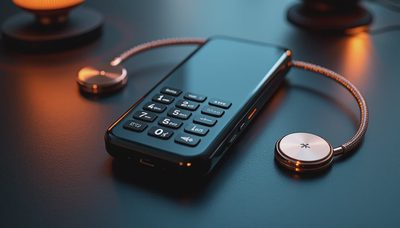
Most dumb phone finder results lead to one of three categories. Basic feature phones, such as the Nokia 2780 Flip, focus on calling, texting, a modest camera, and long battery life. They often cost roughly $50 to $100 and are easy to understand. Their compromises include slower predictive text, smaller screens, and limited group-message handling.
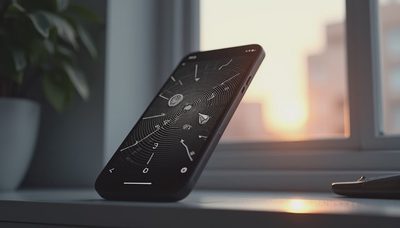
Minimalist phones take a stricter approach. The Punkt MP02 emphasizes calls and text with a deliberately spare interface, while the Light Phone III adds features such as navigation and music without recreating a conventional smartphone experience. These devices can cost several hundred dollars, so the premium is less about hardware and more about the software boundary.
A third option is an older smartphone configured as a restricted device. An unused iPhone or Android phone can lose its social apps, browser, and notifications through built-in controls. This is the cheapest experiment, but it requires discipline because the escape route remains available. If you need a hard boundary, dedicated hardware usually works better.
How to compare the practical details
Use a dumb phone finder as a prompt to inspect boring details. Does the phone support the cellular bands used by your carrier? Is it compatible with the network where you live and travel? Check current carrier compatibility rather than assuming an unlocked model will work everywhere. Older 3G devices, for example, are not a safe purchase because major US networks have retired 3G service.
Texting deserves special attention. Some feature phones handle one-to-one SMS well but become awkward with long group threads, photos, or messages sent through services that depend on iMessage or RCS. Ask friends and family how they communicate before switching. A reliable phone that leaves you unable to coordinate dinner is not a calmer tool; it is a new source of friction.
Also compare charging, battery replacement, hotspot support, voicemail, contact transfer, and emergency calling. A $70 phone that needs replacing twice can be less economical than a $200 model you keep for four years. Look for a return window and test the device at home before moving your number.

The hidden design problem is access
When I worked on consumer apps, we treated access as a feature. A notification opened a screen, that screen suggested another action, and the interface remembered enough to bring you back tomorrow. None of those choices felt dramatic in isolation. Together, they removed the pause in which you might have asked whether you wanted to continue.
A good dumb phone finder should therefore help you compare moments of interruption, not just megapixels and storage. Removing an app store changes the cost of distraction. A monochrome display reduces visual reward. A physical keypad slows typing just enough to make a message intentional. These are not magic tricks, and they do not fix every habit, but they change the default path.
This is why a locked-down smartphone can fail for one person and succeed for another. If opening a browser takes three taps and a password, that may be enough friction. If you know the password by heart and carry a laptop everywhere, the boundary is weaker. Design the device around your most predictable escape route.
A realistic transition plan
Do not switch on the morning of an important presentation or airport trip. Start with a weekend in your normal neighborhood. Move your contacts, test calls, send several group texts, check voicemail, and confirm that your bank's login process does not require an authentication app you can no longer access.
Keep the smartphone powered off in a drawer for the first few days rather than selling it immediately. This makes the experiment reversible without keeping the old interface in your pocket. If you use transit, download a paper route or choose a phone with dependable maps before leaving. For navigation, a small standalone GPS or printed directions can be more reliable than a compromise device.
After a week, review what failed. If you missed music, add a dedicated music player instead of returning to every smartphone feature. If work demands email, set a specific laptop window for it. If family coordination broke down, choose better messaging support. The goal is not purity. It is a setup that removes the distractions you actually want removed.
Which device makes sense for you?
A basic flip phone fits someone who wants low cost, dependable calls, and a clear break from apps. A Punkt or Light Phone fits someone willing to pay more for a carefully limited interface and accept fewer conveniences. A restricted old smartphone fits someone testing the idea before buying anything. A secondhand model can be sensible, but verify battery health, carrier compatibility, software support, and the seller's return policy.
The right dumb phone finder answer is not necessarily the phone with the fewest features. It is the device that makes your unwanted behavior inconvenient while preserving the parts of connection you value. For one person, that means no browser. For another, it means keeping maps but removing notifications. A calm phone is personal equipment, not a moral statement.
My final filter before buying
Ask four questions: What do I need every day? Which feature will tempt me back into constant checking? What inconvenience am I genuinely willing to accept? Can I test this phone and return it if the basics fail? If you can answer those clearly, you do not need another hour of comparison videos.
If I were choosing today, I would start with a cheap compatible feature phone for a short trial, then upgrade only if a missing function proved important. That sequence protects your money and reveals your actual habits. The one thing I would keep is reliable calling. Everything else has to earn its place.