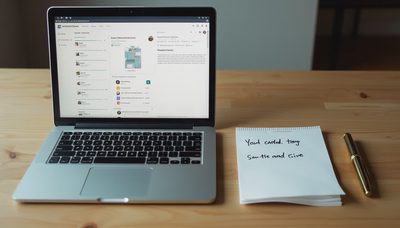
I counted. Before I started writing this, I had 47 tabs open in my browser.
Three were for work. Two were flight bookings I'd abandoned halfway through. One was a YouTube video paused in the eternal purgatory of "watch later." The rest were mostly tombstones for articles I told myself I'd read someday.
47 tabs. They were crammed together on the menu bar, each icon so small it was almost illegible—but I could find each one by muscle memory alone. That, in itself, is a sickness.
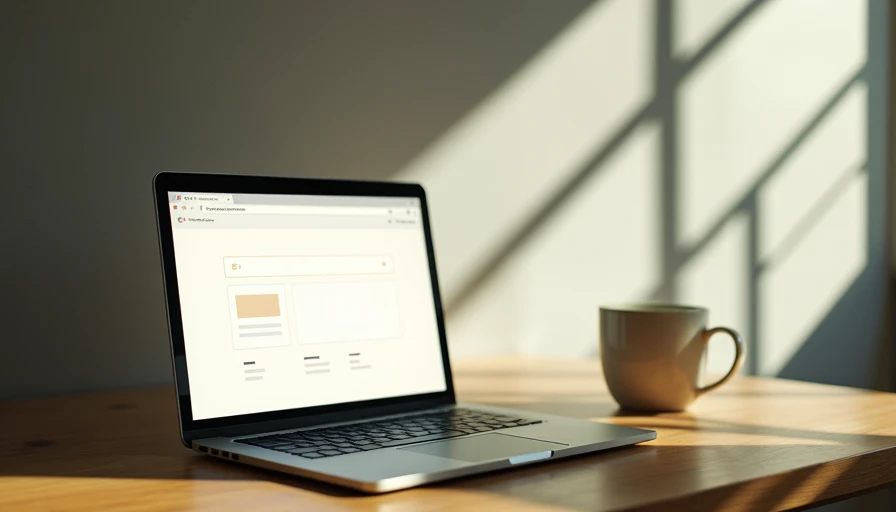
So I decided to run an experiment. One week. One screen. Never more than one open tab at a time. If this webpage wasn't directly solving the one problem I had right now, it got closed.
Here's what happened.
Day 1: Withdrawal
At 10 a.m. on the first day, I opened my browser to start work. Muscle memory kicked in: Command+T, four tabs in quick succession—work email, Notion, my Figma design file, and one "just in case" blank tab.
Then I stopped.
Of those four tabs, I actually needed only one. The other three were all "just in case"—in case an email came in, in case I needed to jot down a note, in case I suddenly wanted to tweak a design.
"Just in case" is the root of all chaos.
I closed the three tabs. Only Figma remained.
What happened next surprised me: I worked for an hour and a half without interruption. No red notification badges blinking at the edge of my screen. No Notion pages reminding me of seven unfinished tasks. The only thing that distracted me was myself.
I caught myself reflexively hitting Command+T to open a new tab for a "quick" search—and then realised that the only reason I wanted to search was to avoid the problem I was currently working on. That realisation wasn't comfortable, but it was useful.

Day 2–3: The Ghost of "While I'm At It"
On the second day, I started noticing a pattern. While I was sketching in Figma, my brain would suddenly serve up a "reasonable" thought:
"While I'm at it, let me check that design system update."
"While I'm at it, let me glance at email."
"While I'm at it, let me search for that reference case."
"While I'm at it" is probably the biggest lie in modern productivity. Every "while I'm at it" is a betrayal of the task at hand. You think you're multitasking. In reality, you're just taking a breather from one task by escaping into another.
Neuroscience has been clear on this for years: the human brain isn't built for multitasking. Every time you switch tasks, it takes up to 23 minutes to re-enter a state of deep focus. If you switch four times an hour, you might have less than two hours of genuine focus in an entire day—the rest evaporates in the gaps between switches.
I'd been quietly evaporating like that for years, then wondering at the end of each day why I'd gotten so little done.
On the third afternoon, I received a client email that needed a reply. Under the new rules, that meant I had to close my design file, open Gmail, write the reply, and then reopen Figma.
That "close the current window" requirement changed everything. Before, I'd keep email open, glance at it when something came in, get distracted, and never make it back. Now, replying to an email was an explicit "task switch"—I had to consciously choose between two tasks, rather than pretending I could do both at once.
Day 4–5: The System Fights Back
By day four, I encountered a more insidious enemy: the system itself.
macOS pushed a weather notification. Slack popped a banner for a new message. Chrome quietly auto-refreshed a background tab that had been left open.
These features are designed to "help" you, but what they actually do is make the decision for you about what deserves your attention. And the default setting is almost always "everything is important."
If you don't want the system to decide where your attention goes, you have to explicitly tell it: no.
So I did two things.
First, I turned off every notification that didn't come from a real human. System updates, news alerts, app reminders—all silenced. Only messages from actual people were allowed to make a sound.
Second, I enabled Do Not Disturb. Not for half an hour. For the entire day. If something was truly urgent, they knew they could call. They didn't call, so it wasn't urgent.
That might sound extreme, but the truly extreme thing was what I'd been doing before: letting a bunch of Silicon Valley engineers and their algorithms decide how my attention was allocated, hour by hour. That was the real horror.
Day 6–7: The Shape of a Single-Task Workspace
By day six, subtler changes started to surface.
Because I couldn't keep multiple tabs open, I found myself doing something new: actually finishing a task before switching. Not "getting it to a good stopping point" or "getting stuck"—truly finishing it, to a natural endpoint.
That almost never happened before. My old pattern was: hit a roadblock, open a new tab to research, spot a related topic in the search results, click into it, and forget what I was researching in the first place. Those 47 tabs were born that way—each one a monument to an unfinished train of thought.
But the single-tab rule forced a change. With only one page in front of me, I had to ask myself three questions:
What problem am I actually trying to solve right now? (Not "what am I doing," but why.)
Does this page directly help me solve it? (Not "is it somewhat related.")
If I'm stuck, do I push through or do I consciously pause? (Not "let me open another tab and pretend I'm not stuck.")
Those three questions sound simple, but in practice, they filtered out about 80% of my browser activity. The remaining 20% was what actually produced value.
At the end of day seven, I checked the total number of tabs I'd opened over the week: 23. Twenty-three tabs in seven days—an average of 3.3 per day. Before this, I'd had 47 open simultaneously.
I didn't work less. I just spent less time on "looking busy."

One Last Thought
I don't think multiple tabs are "bad." They're tools, and like all tools, they have their place. A researcher might legitimately need ten academic papers open side by side. A developer might need documentation, a terminal, and an editor in three windows.
The problem is that most of us aren't researchers or developers who need multiple windows for real work. We're just ordinary people who open seven "while-I'm-at-it" tabs while doing one task, then slice our day into confetti.
You don't need to close every tab. You just need to be honest once, and ask yourself:
"Is this page actually helping me do the most important thing right now, or is it just making me look like I'm busy?"
If you're not sure, close it and see what happens. You might not feel immediately relieved. You might feel a little anxious, a little empty, a little lost.
That feeling is exactly what you need to get used to. Because it means your brain is finally being allowed to focus on one thing—instead of shuttling between 47 tabs, pretending to be productive.
You need less than you think. Sometimes the most productive screen is the one with nothing else on it.